Reservation System

Special Reservations

Due to the nature of shared rooms, some reservations wil require an extra step to make sure rooms cannot be double-booked. In this example, we will look at Room 116 East, which a sample customer chose to book for September 28, 2021.

Room 116 Full requires both 116 East and 116 West, therefore, we need to make sure that Room 116 Full is not available for use on the same date and time as our sample customer.

Below, we will walk through the steps of the sample customer reserving Room 116 East, and then the manual process of booking Room 116 Full to avoid overlap.
  • Step 1

    Customer Books Room 116 East

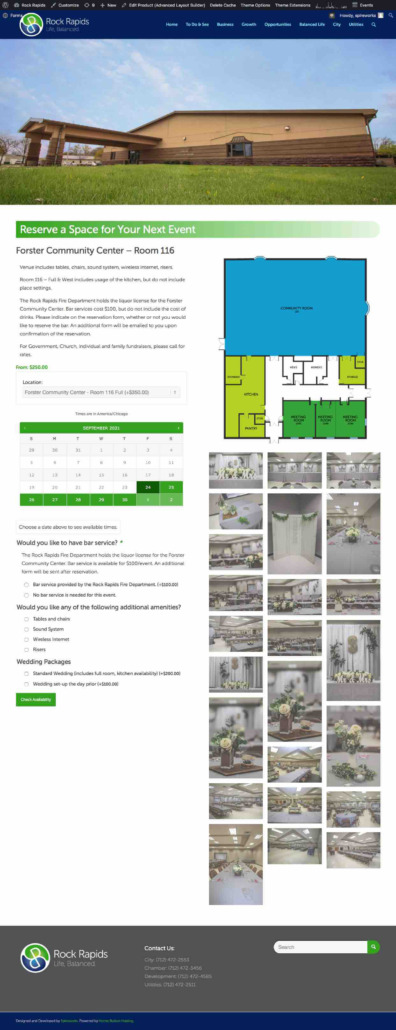
    Customer wishes to reserve a room

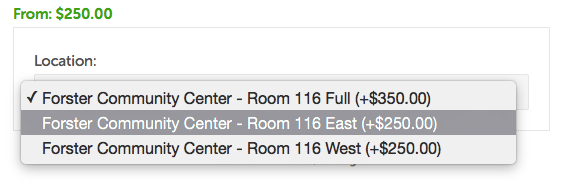
    Customer chooses Room 116 East


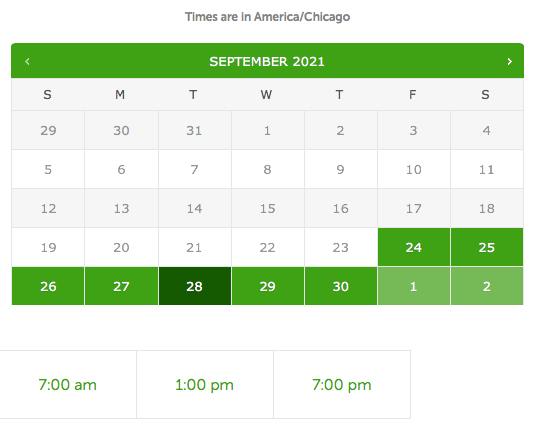
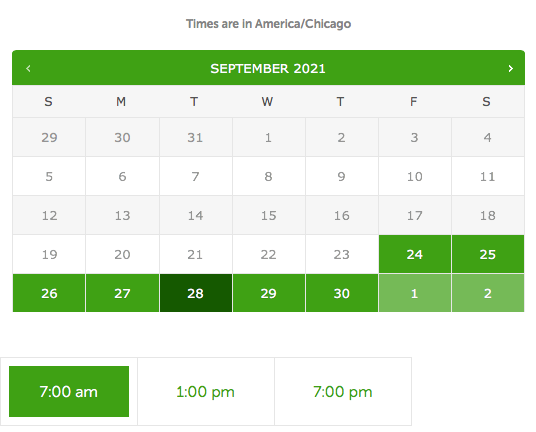
    The calendar shows available days


    Customer chooses a specific day

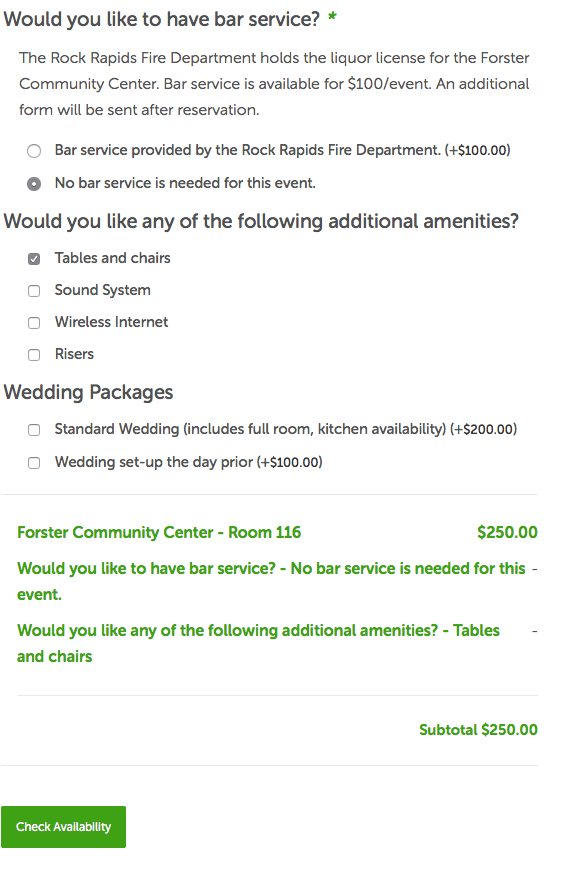
    Customer selects appropriate amenities

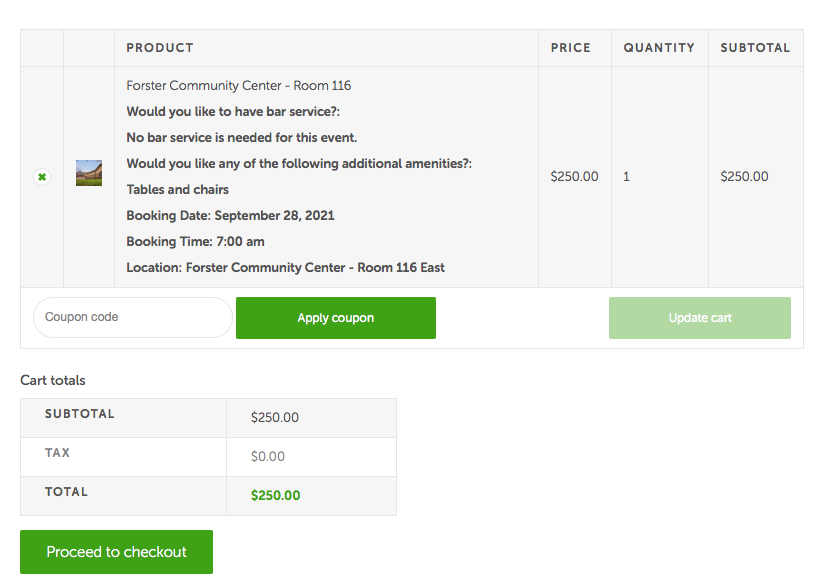
    The checkout page

  • Step 2

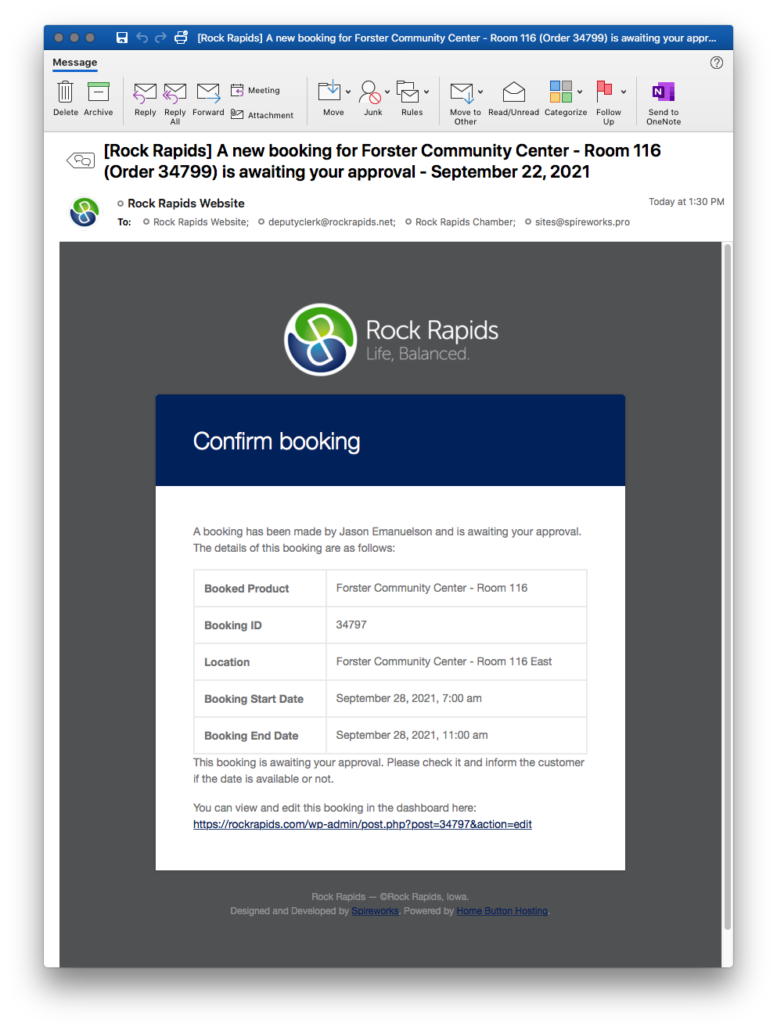
    Reservation Managers receive pending booking email, with link to booking.

    Reservation System Managers receive email of potential booking

  • Step 3

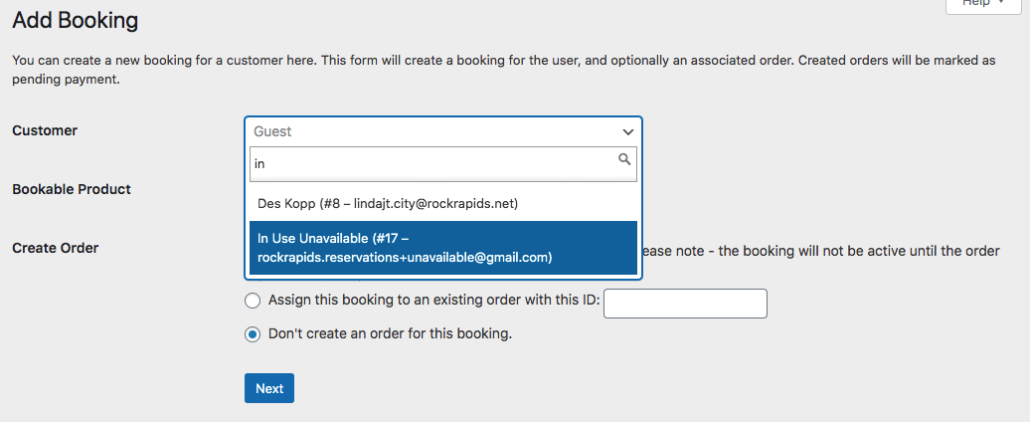
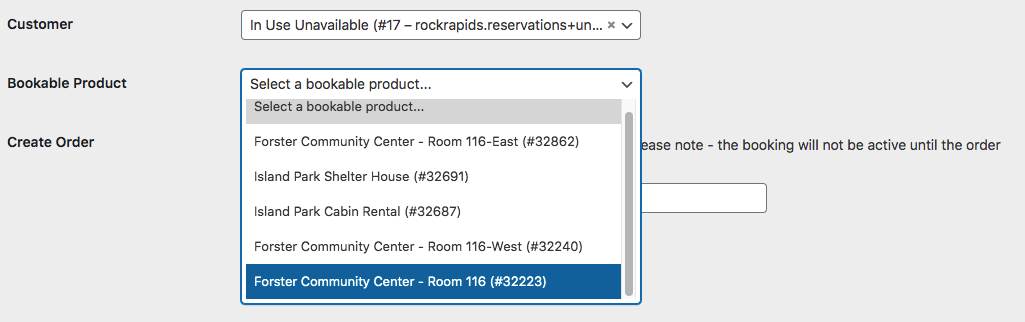
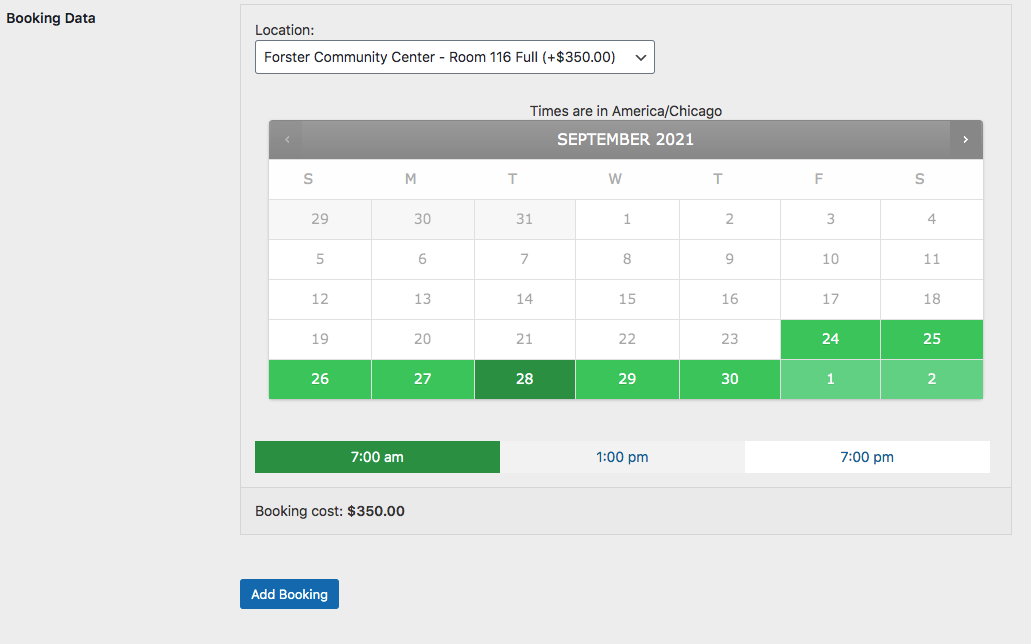
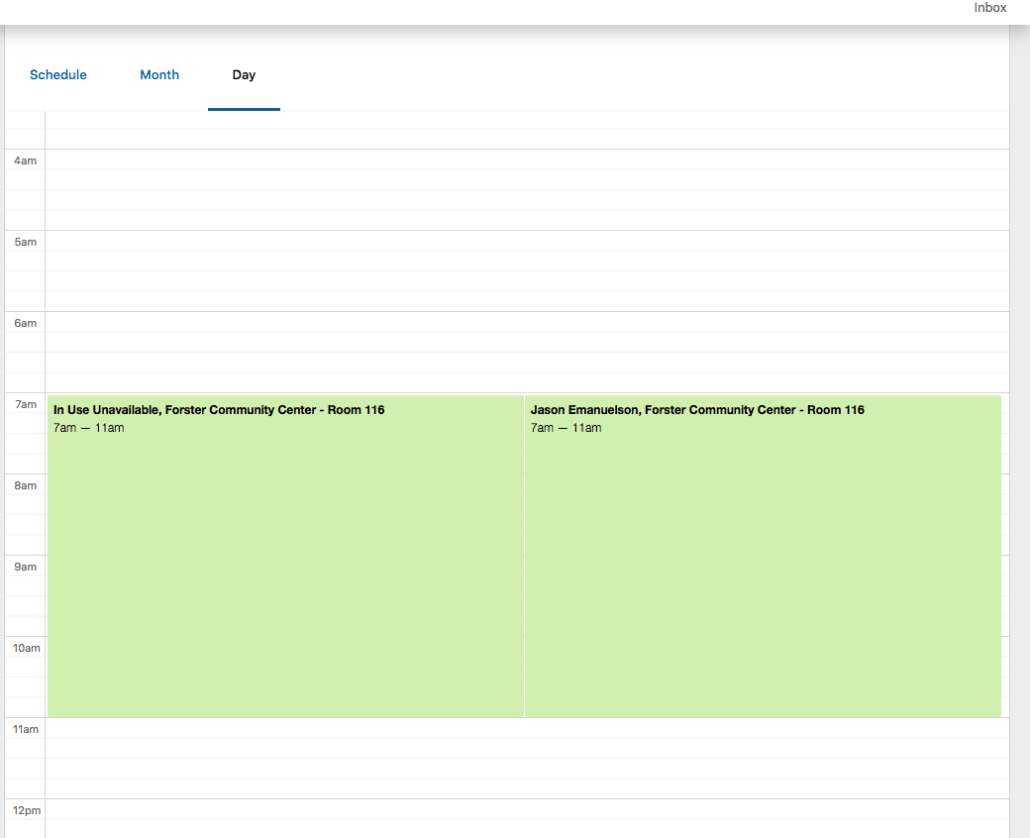
    Create tandem booking to reserve 116 Full

    Because 116 East would make impossible to book full room, we must reserve room 116 Full. For the name/account, type in in use and select. Then continue

    Select Room 116 Full

    Then, select the date and time.

  • Confirmation

    Calendar, Bookings views, as well as reservation page for 116 will only show 116 West as being available at that time.

    This will show both East and theFull room as being unavailable for future bookings that might overlap.